

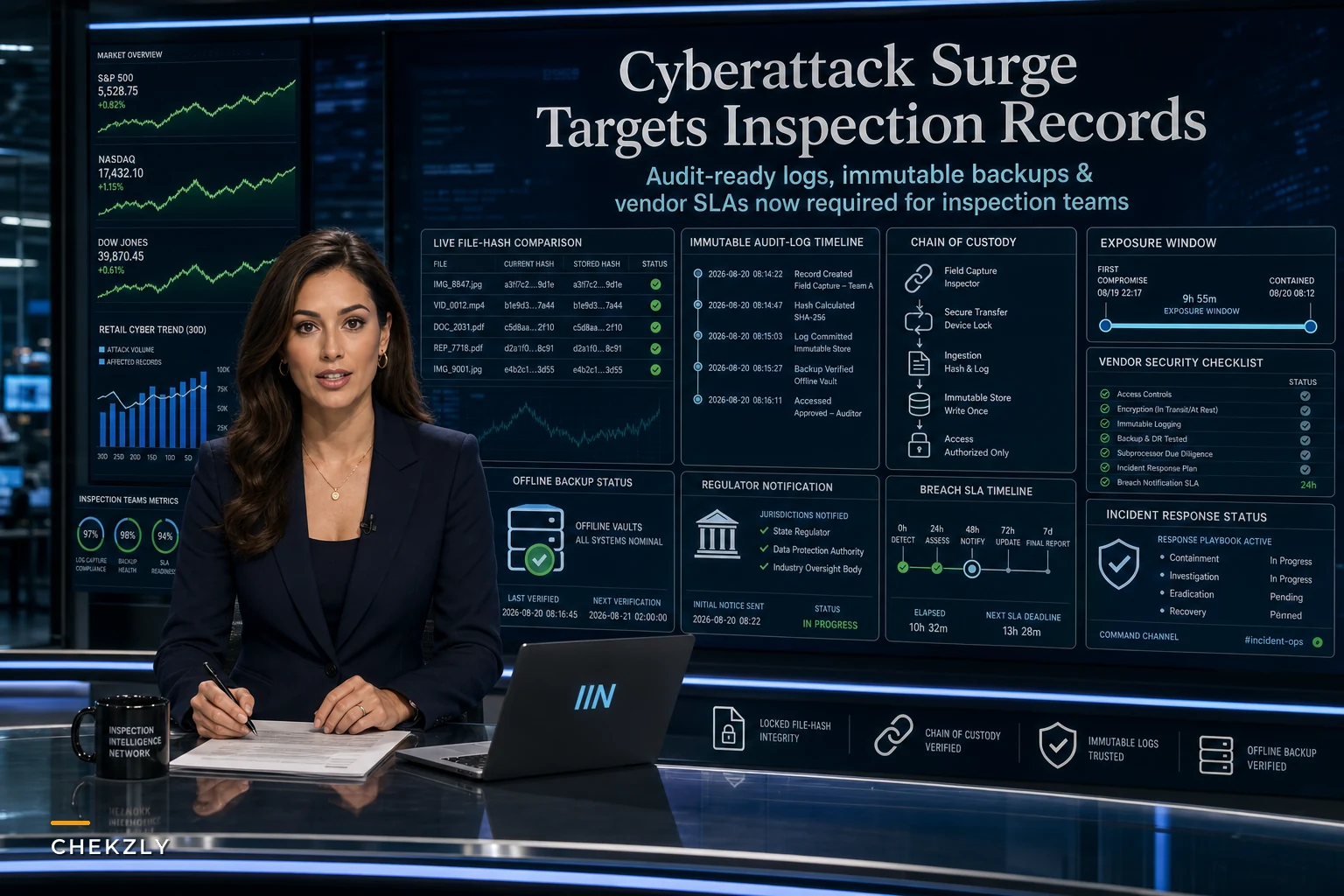

The last two weeks put a lot of inspection managers in an uncomfortable spot. Reuters reported a sharp rise in AI-enabled cyberattacks against U.S. companies, followed by claims of mass data theft from Shell, Philips, GE, Fiserv and dozens of others. Big names, big vendors — the kind of companies sitting somewhere in your supply chain whether you've thought about it or not.
What most inspection teams miss when a headline like this drops: the direct risk isn't the only problem. The scarier risk is indirect. Your inspection records probably live on a platform run by someone else. Your field photos sync through a third-party app. Your chain-of-custody timestamps depend on a server you don't control. When a vendor gets hit, your evidence integrity gets dragged into it — and you might not find out until an auditor or an opposing attorney asks a question you can't answer.
So skip the fear talk. What actually matters operationally: what breaks, what an auditor will scrutinize after a breach, and the specific controls that keep inspection evidence defensible even when the systems around it are compromised.
What a breach actually exposes in an inspection program
When people think "cyberattack," they picture stolen data. For inspection teams the bigger issue is doubt. Once a platform you use has been compromised, every record that touched that platform now carries a question mark: could it have been altered? Deleted? Backdated?
That question is the whole ballgame. An inspection record's value isn't just that it exists — it's that you can prove it hasn't changed since the moment it was captured. A breach attacks that proof directly.
In real operations, the damage usually shows up in three places:
-
The record itself — photos, checklists, measurements, sign-offs. If an attacker had write access, you can't assume any of it is pristine unless you have independent verification.
-
The metadata — timestamps, GPS, device IDs, user IDs. This is what proves who did what and when. It's also the easiest thing to quietly manipulate and the hardest thing for a field team to notice.
-
The audit log — the record of changes made to the record. If your logging system and your records live on the same compromised platform, an attacker who owns one owns both. That's the nightmare scenario.
Teams that survive audits after a security incident are the ones who kept these three layers separated across different systems or custody controls. Teams that get burned trusted a single vendor to hold the record, the metadata, and the proof-of-integrity all in one bucket.
Why "immutable" is the word that matters right now
There's a difference between a record you can't easily change and a record you can't change at all without leaving evidence. That difference is everything after a breach.
Eliminate inspection delays and errors.
Chekzly helps you plan, execute, and document inspections efficiently and accurately.
- Real-time inspection tracking
- Automated report generation
- Compliance and checklist management
No credit card required
A typical setup looks like this: inspection app saves to cloud storage, an admin can edit or delete files, and the "audit trail" is just a change history inside the same app. On a normal day that's fine. After a compromise, it's worthless — because anyone with elevated access can rewrite history and the change log along with it.
What holds up is immutability enforced outside the primary system. A few practical ways teams do this:
-
Write-once storage (WORM) or object-lock buckets where records physically cannot be overwritten or deleted for a set retention period, even by an administrator.
-
Cryptographic hashing at capture — the moment a photo or checklist is finalized, generate a hash and store that hash somewhere separate. If the file later changes, the hash won't match. Cheap to do, brutally effective as proof.
-
Independent timestamping through a trusted third-party service, so your "when" isn't dependent on a server clock an attacker could roll back.
Store hashes in a separate account or service so a vendor compromise can't reach both the files and their hashes.
You don't need to become a cryptography expert. You need to be able to answer one question in front of an auditor: "How do you prove this record hasn't changed since capture?" If the answer starts with "well, the vendor says..." you have a gap.
The vendor problem nobody wants to audit
Most inspection programs run on borrowed infrastructure. Your evidence sits in someone else's data center. And the recent attacks hit exactly that layer — service providers and large vendors, not just end companies.
The uncomfortable question: do you actually know the security posture of every vendor touching your inspection data? Not the sales-brochure version. The real version.
Here's a breakdown of what to demand versus what most teams settle for:
| Control area | What teams usually accept | What you should require after this surge |
|---|---|---|
| Security attestation | "We're secure, trust us" | Current SOC 2 Type II report, reviewed annually |
| Encryption keys | Vendor holds all keys | BYOK (bring your own key) where possible, so a vendor breach doesn't auto-expose your data |
| Breach notification | Vague "we'll let you know" | Contractual notification window (24–72 hrs) with specifics |
| Data export | Manual, slow, on request | Self-serve export you can run anytime, in a usable format |
| Deletion & retention | Undefined | Documented retention locks and certified deletion |
| Subprocessors | Unknown | Full list of downstream vendors with their attestations |
The thing worth flagging: teams tend to vet the vendor they signed with and completely ignore that vendor's own vendors. The Reuters reporting made clear these attacks propagate through service-provider chains. Your inspection platform might be locked down tight while the analytics tool it feeds — or the cloud storage it rides on — is the actual weak point.
If you've covered vendor data reliability from a QA angle before, this is the security-side companion to that work. Same relationships, different failure mode.
A short real scenario
A regional facilities inspection firm — roughly 40 inspectors spread across a few states — ran everything through one field app that stored photos, checklists, and its own audit log together. Convenient. Also a single point of failure.
Their sub-processor, a cloud storage provider, had a security incident. Nothing was proven stolen from this firm specifically, but a client's legal team asked them to demonstrate that inspection records from the affected period were unaltered. They couldn't. The audit log and the records lived in the same environment that was potentially compromised, so the log proved nothing.
The fallout wasn't a lawsuit. It was worse in a slow way: two enterprise clients put their contracts under review, and the firm spent somewhere between six and eight weeks — plus a chunk of legal fees — rebuilding trust and re-verifying records manually. Low five figures once you count staff time.
Afterward they changed three things: hashing at capture with hashes stored in a separate system, object-lock on the record store, and a hard 48-hour breach-notification clause added to vendor contracts. When a minor incident hit another vendor eight months later, they answered the "prove it's unaltered" question in an afternoon. Same question, completely different outcome — purely because of controls they put in before they needed them.
The controls to put in place this quarter
Not everything here is urgent, but a few things genuinely are. A prioritized checklist you can actually work through:
-
[ ] Inventory every system that touches inspection data — apps, storage, integrations, analytics, backups. You can't protect what you haven't mapped.
-
[ ] Separate your audit log from your records so no single compromised system controls both.
-
[ ] Turn on hashing or WORM storage for finalized records, at minimum for high-stakes inspections.
-
[ ] Pull current SOC 2 reports from every primary vendor, and ask for their subprocessor list.
-
[ ] Add or tighten breach-notification clauses with a specific hour window and required detail.
-
[ ] Test your restore, not just your backup — a backup you've never restored is a hope, not a control.
-
[ ] Write a one-page incident playbook specific to evidence
who freezes what, who notifies clients, who verifies record integrity.
-
[ ] Enforce MFA and least-privilege access on every account that can edit or delete records.
The one people skip is testing restores. Backups run quietly and everyone assumes they work. Then a real incident hits and the restore fails, or takes four days, or comes back missing metadata. Run a restore drill this quarter. It's boring and it will save you.
A workflow for verifying integrity after any vendor incident
When a vendor announces an incident — even a "we don't think you were affected" one — you want a repeatable response, not a scramble. Here's the flow:
-
Freeze changes. Lock the affected record set to read-only immediately, before you investigate anything.
-
Identify the exposure window. Pin down the dates the vendor says were at risk. Isolate every inspection record captured or modified in that range.
-
Run integrity checks. Compare current file hashes against the hashes you stored separately at capture. Matches = verified unaltered. Mismatches = flagged for review.
-
Cross-reference the independent log. Check your separated audit trail for any changes during the window that shouldn't be there.
-
Document the verification itself. Record what you checked, when, and the result. This documentation is your defense later.
-
Notify per contract and regulation. Tell affected clients and regulators within your obligated window, with the integrity findings attached.
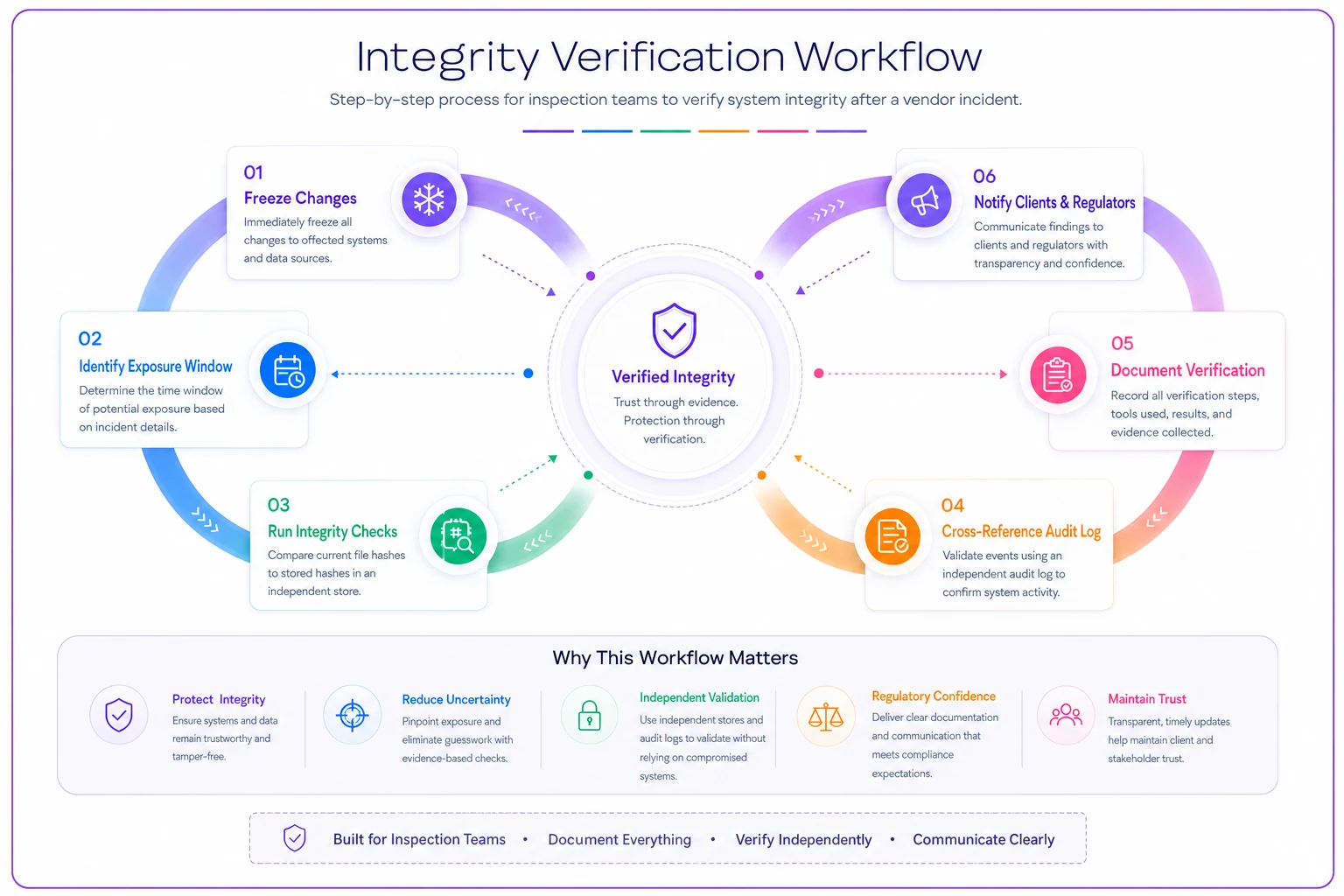
A quick visual of the flow above.
The strength of this whole process depends entirely on step 3 working — which depends on you having stored those hashes somewhere the breach couldn't reach. Everything ties back to that upfront separation of layers.
When heavy controls make sense — and when they're overkill
Not every inspection program needs bank-grade infrastructure. Being honest about that keeps you from burning budget in the wrong place.
Worth the full stack — immutable storage, BYOK, third-party timestamping — if your inspections feed into litigation, regulatory enforcement, safety certifications, or high-value contracts. When a single record could anchor a lawsuit or a fine, the cost of hardening is trivial next to the cost of doubt.
Probably overkill if your inspections are internal, low-stakes, and never leave the organization. You still want MFA, least-privilege, and real backups — but you don't need cryptographic timestamping on a routine internal walkthrough.
Who should not go DIY on this: small teams without any technical support who try to hand-roll encryption or custom logging. You'll build something fragile and misconfigured, which is often worse than a well-run managed platform. If you don't have in-house depth, buy the capability from a vendor who can prove their controls — and then hold them to the contract terms above.
Where your records system ties it all together
Most of what we've covered — separated audit logs, immutable storage, metadata integrity, fast retrieval during an incident — isn't really a "cybersecurity" feature you bolt on after a breach. It's a property of a well-built records system that happens to also make you breach-resistant.
Teams handling the current threat surge calmly are usually the ones who already invested in a proper records foundation. If you're starting from scratch or patching a messy setup, the groundwork in building an audit-ready inspection records system with metadata and retrieval SOPs is where the structural version of this lives — metadata discipline and clean retrieval are exactly what let you answer an auditor fast when a vendor incident lands.
Modern inspection platforms that bake in immutable logging, automated integrity checks, and controlled access do a lot of this quietly in the background — so verifying a record after an incident is a query, not a two-month manual project. The point isn't the tooling for its own sake. It's that the manual, spreadsheet-and-shared-drive approach simply can't produce the proof-of-integrity these threats now demand.
The takeaway for field teams and managers
The attacks in the news will fade from the headlines in a couple of weeks. The exposure they revealed won't. Inspection programs have quietly outsourced their evidence integrity to platforms and vendors, and the recent surge just made that dependency visible.
You don't need to panic-buy security products. You need to be able to answer one question convincingly: can you prove your inspection records are exactly what they were at the moment of capture, even if a vendor got breached? If you can, you're audit-ready in a way most of your peers aren't. If you can't, you now know precisely where to start — separate your layers, verify your restores, tighten your vendor contracts, and store proof of integrity somewhere the next attack can't reach.
The attacks in the news will fade from the headlines in a couple of weeks. The exposure they revealed won't. Inspection programs have quietly outsourced their evidence integrity to platforms and vendors, and the recent surge just made that dependency visible.
You don't need to panic-buy security products. You need to be able to answer one question convincingly: can you prove your inspection records are exactly what they were at the moment of capture, even if a vendor got breached? If you can, you're audit-ready in a way most of your peers aren't. If you can't, you now know precisely where to start — separate your layers, verify your restores, tighten your vendor contracts, and store proof of integrity somewhere the next attack can't reach.
Ready to modernize your inspection process?
Join 500+ inspection teams using Chekzly to reduce paperwork, improve compliance, and accelerate reporting.