

Most inspection teams don't struggle with writing a better checklist. They struggle with the moment they try to replace the old one. That's where things break. You push v4.2 out on a Monday, and by Wednesday half your field crew is still filling out v4.1 because it's saved on their phones, one region never got the training, and an auditor pulls a record from the transition week that references a control point that technically didn't exist yet.
The checklist itself was fine. The change was the problem.
What follows is a full change-management system for rolling out inspection checklists and SOP updates — the kind of end-to-end process that treats a checklist revision like a controlled deployment, not an email attachment. Stakeholder mapping, pilot design, comms, training, adoption KPIs, and the part everyone skips: rollback criteria tied to actual compliance windows and audit gates.
The real problem: a checklist change is a distributed systems change
When you update an inspection checklist across multiple sites, you're not editing a document. You're changing behavior in dozens or hundreds of humans, across time zones, offline devices, contractor crews, and legacy record systems — all while an audit trail keeps recording everything, correct or not.
That's why the failure modes are almost never about the content. They're about propagation. Who knows the change happened, who's trained on it, whose device has the current version, and what happens to the records created in the gap between "we published" and "everyone actually adopted."
In real operations, this plays out in a pretty predictable sequence:
-
The SOP owner finalizes the change and feels done.
-
Regional leads get a heads-up email that maybe half of them read.
-
Field inspectors keep working off muscle memory and cached forms.
-
Two or three weeks later, someone notices inconsistent records.
-
By then you've got a mixed dataset spanning two checklist versions, and audit season is closer than you'd like.
The gap between publish and adoption is where audit findings are born. Everything in this playbook is designed to shrink that gap and make it observable.
Start with stakeholder analysis — but the operational kind
Stakeholder analysis in most change frameworks is a fluffy exercise: draw a grid, plot people by influence and interest, move on. That version is useless for inspection rollouts. What you actually need is a map of who can block, break, or silently ignore the change.
Eliminate inspection delays and errors.
Chekzly helps you plan, execute, and document inspections efficiently and accurately.
- Real-time inspection tracking
- Automated report generation
- Compliance and checklist management
No credit card required
The stakeholders who matter in inspection programs fall into four operational buckets:
| Role | What they control | How they break a rollout |
|---|---|---|
| SOP / checklist owner | The content and version logic | Ships changes without a transition plan or effective date |
| Regional / site leads | Whether their crews actually adopt | Deprioritize training; let old habits ride |
| Field inspectors | The data that hits the record | Use cached versions, skip new fields, misread changed logic |
| Compliance / audit lead | Whether records survive scrutiny | Not consulted, so the change lands mid-audit-window |
The mistake that keeps showing up: the SOP owner and the compliance lead never talk before the change ships. So the checklist gets updated in the middle of a live accreditation cycle, and now you've got records under two standards inside a single audit period. That's not a content problem. That's a scheduling and coordination failure.
Before anything else, get one answer from each bucket: what would make this change unsafe to ship right now? The compliance lead will often say something like "we have an ISO surveillance visit in six weeks, freeze non-critical changes until after." That one sentence reshapes your entire timeline.
Design the pilot like you actually want it to fail
A pilot isn't a formality. Its whole job is to surface failure modes before they reach your full field team. If your pilot goes perfectly, you probably designed it too safe — you picked your best inspector at your best-run site and learned nothing.
A good pilot deliberately includes the messy cases:
-
One site with strong connectivity and one with spotty or offline conditions.
-
One experienced inspector and one recent hire.
-
At least one contractor or third-party crew if you use them.
-
A site that runs a slightly different workflow than "standard."
Include at least one contractor or third-party crew in the pilot if you use them.
You're not trying to prove the checklist works. You're trying to find the seams. A common example: a checklist revision adds a conditional branch — "if equipment type = B, complete section 4." Works flawlessly in the office demo. In the field pilot, three inspectors miss the branch entirely because the trigger field is buried below the fold on a phone screen. That's a cheap fix in the pilot and a real audit gap if it ships to 200 people.
Keep the pilot short but instrumented. Two to three weeks is usually enough to catch the structural problems. Track how often inspectors complete the new sections correctly, where they hesitate, and how many still opened the old version out of habit.
Communication templates that actually change behavior
Most rollout comms fail because they announce a change instead of routing it to the people who need to act. "We've updated the inspection checklist, please review" is not a communication plan. It's a liability waiver.
Effective change comms have three separate messages for three separate audiences, and they don't share the same email:
-
The awareness message (everyone)
what's changing, why, and the effective date. Short. One screen.
-
The action message (field inspectors)
exactly what's different in their daily workflow, with the two or three specific field-level changes called out. Not the whole changelog — the delta.
-
The accountability message (site leads)
who on their crew needs training, by when, and how completion gets confirmed.
What consistently works: lead every field-facing message with the difference, not the document. Inspectors don't read a 12-page revised SOP. They'll absorb "Section 4 now requires a photo for any out-of-tolerance reading — that's the only change to your daily flow." Anchor the change to the effective date and make the old-version cutoff explicit.
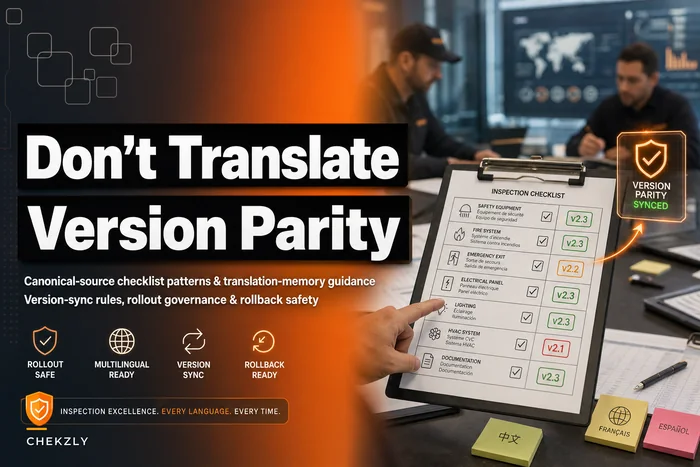
One recurring failure worth naming: multilingual teams. If part of your crew works in another language, the translated version and the comms both need to land at the same time, in sync. When they don't, you get version drift between languages — which is its own audit nightmare. There's a full breakdown of how to keep localized checklists in parity in this rollout-safe pattern for localized inspection checklists, worth reading before any multi-region rollout.
Training recipes: small, role-specific, verified
Training a checklist change is not the same as onboarding. You're not teaching someone to inspect — you're updating one specific pattern in someone who already knows the job. The instinct to run a full retraining session is usually overkill and creates resistance.
What actually works is a "delta training" approach:
-
Show the before and after side by side. People retain changes when they can see what moved.
-
Have them complete one real inspection with the new version while someone reviews it. Not a quiz — an actual record.
-
Confirm competency on the changed sections only. If the change touched three fields, verify those three fields.
-
Log who completed it and when, tied back to the accountability message for site leads.
That last point matters more than it sounds. "We trained everyone" is not defensible in an audit. "Here are the completion timestamps for all 84 inspectors on v4.2, including re-training for the six who failed the first competency check" is defensible.
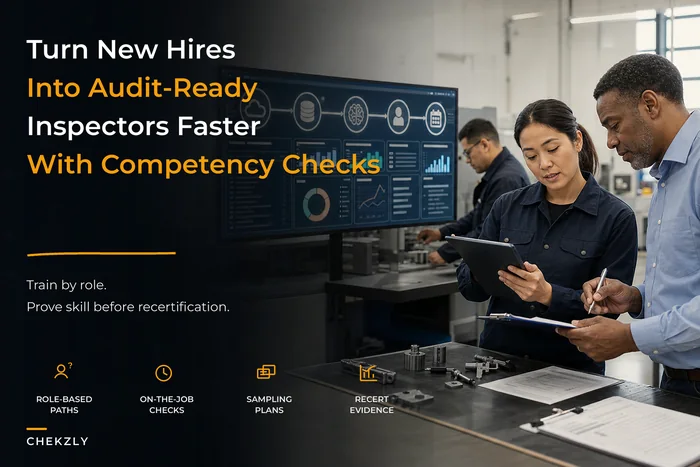
For inspectors still ramping up, the change should fold into their existing competency track rather than sit as a bolt-on. The broader structure for that — onboarding paths, competency checks, re-certification — is laid out in this guide on turning new hires into audit-ready inspectors, and checklist updates should plug directly into that workflow instead of living as separate one-off events.
Adoption KPIs: measure the gap, not the launch
The number most teams track is "did we ship it." That tells you nothing. The number that matters is: what percentage of records created after the effective date use the correct version and complete the changed fields correctly?
Adoption KPIs worth watching:
-
Version compliance rate
share of new records on the current version. Should climb toward 100% within your target window.
-
Changed-field completion rate
are the new fields actually being filled correctly, or skipped?
-
Old-version tail
how many records still land on the deprecated version each day after cutoff. This should trend to zero — if it plateaus at 8–10%, you have a device-caching or training-gap problem, not a compliance problem.
-
Correction rate
how often new-version records get kicked back for rework in the first two weeks.
Watch the shape of these curves, not just the endpoint. A version compliance rate that jumps to 70% in three days and then stalls tells you a specific segment — usually one region or one contractor crew — never adopted. A slow, steady climb across everyone means your comms landed but training lagged. Different curves, different fixes.
Rollback criteria tied to compliance windows and audit gates
This is the section everyone skips, and it's the one that saves you. Before you ship, you decide — in writing — what conditions force a rollback. Not "we'll see how it goes." Specific triggers.
Rollback criteria for an inspection checklist change usually look like:
-
Changed-field error rate stays above a set threshold (say, 15%) after the first week — the change is confusing people faster than training can fix it.
-
A defect in the checklist logic produces non-compliant records — immediate rollback, no debate.
-
The old-version tail won't die because devices can't sync — halt and fix propagation before continuing.
-
An audit gate opens unexpectedly and you're mid-transition — freeze at the last clean version.
The reason rollback has to be tied to compliance windows: a checklist that's better but not yet fully adopted is more dangerous during an active audit than a slightly worse checklist that everyone's using consistently. Consistency beats correctness inside an audit window. That's a counterintuitive rule, but it holds. An auditor can work with a uniform dataset on an older standard. They cannot work with a split dataset where half the records don't match the SOP that was supposedly in effect.
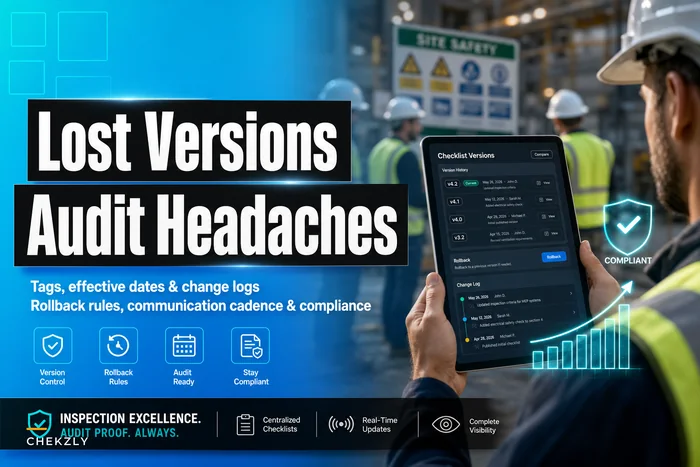
Rollback also depends entirely on your ability to actually revert cleanly, with the audit trail intact. If you can't point to exactly which records were created under which version, rollback becomes guesswork. The mechanics of doing this right — including how to preserve the trail when you revert — are covered in this piece on checklist version control and rollback rules. If your version control isn't solid, fix that before you attempt any of this.
A real scenario
A mid-sized facilities inspection company running about 11 sites needed to update their safety checklist after a regulation change added two mandatory documentation fields. Their previous approach — email the new PDF, mention it in the next team call — had burned them before, when an audit turned up roughly six weeks of records that never captured the required fields.
This time they ran the full process. Stakeholder check first: the compliance lead flagged an accreditation visit about seven weeks out, so they scheduled the rollout to complete with two weeks of buffer before that gate. The pilot ran at two sites — one urban with good connectivity, one rural crew working partly offline. It immediately caught that offline devices weren't pulling the new version, which would've quietly poisoned records at four of their sites.
They fixed the sync issue, ran delta training (around 20 minutes per inspector, one supervised real inspection each), and tracked version compliance daily. The old-version tail dropped to near zero within about nine days at nine sites — but two contractor crews plateaued around 12%. That's exactly the signal the KPI is built to catch. Those crews never got the accountability message routed to their lead. One targeted follow-up closed the gap.
By the accreditation visit, they had a uniform dataset, timestamped training records, and a documented rollback plan they never needed to use. The auditor's version-consistency question — the one that had cost them before — took about five minutes to answer instead of turning into a finding.
When this full funnel makes sense — and when it's overkill
Not every checklist change needs the whole apparatus. A typo fix or a reworded instruction that doesn't change what data gets captured? Ship it, note the version, move on. Running a five-stage change funnel for that is bureaucracy for its own sake.
The full playbook earns its weight when:
-
The change alters what data gets recorded (new fields, changed logic, removed fields).
-
It affects records that will land inside an audit or accreditation window.
-
It spans multiple sites, languages, or contractor crews.
-
Getting it wrong creates non-compliant records rather than just cosmetic inconsistency.
Who should skip the heavy process: single-site teams with one crew, or programs where the checklist has no regulatory weight. If your audit exposure is low and your team is small enough to retrain in one conversation, the funnel adds friction without adding protection. Match the ceremony to the risk.
Bringing it together
Checklist and SOP rollouts fail not because the content is bad, but because teams treat a distributed behavior change like a document update. The stakeholder map tells you when it's safe to ship. The pilot finds the seams. The comms route the delta to the right people. Training verifies it stuck. Adoption KPIs show you the gap between publish and reality. And rollback criteria — tied to your actual compliance windows — keep a well-intentioned change from becoming an audit liability mid-transition.
Here's a simple visualization of the rollout workflow.
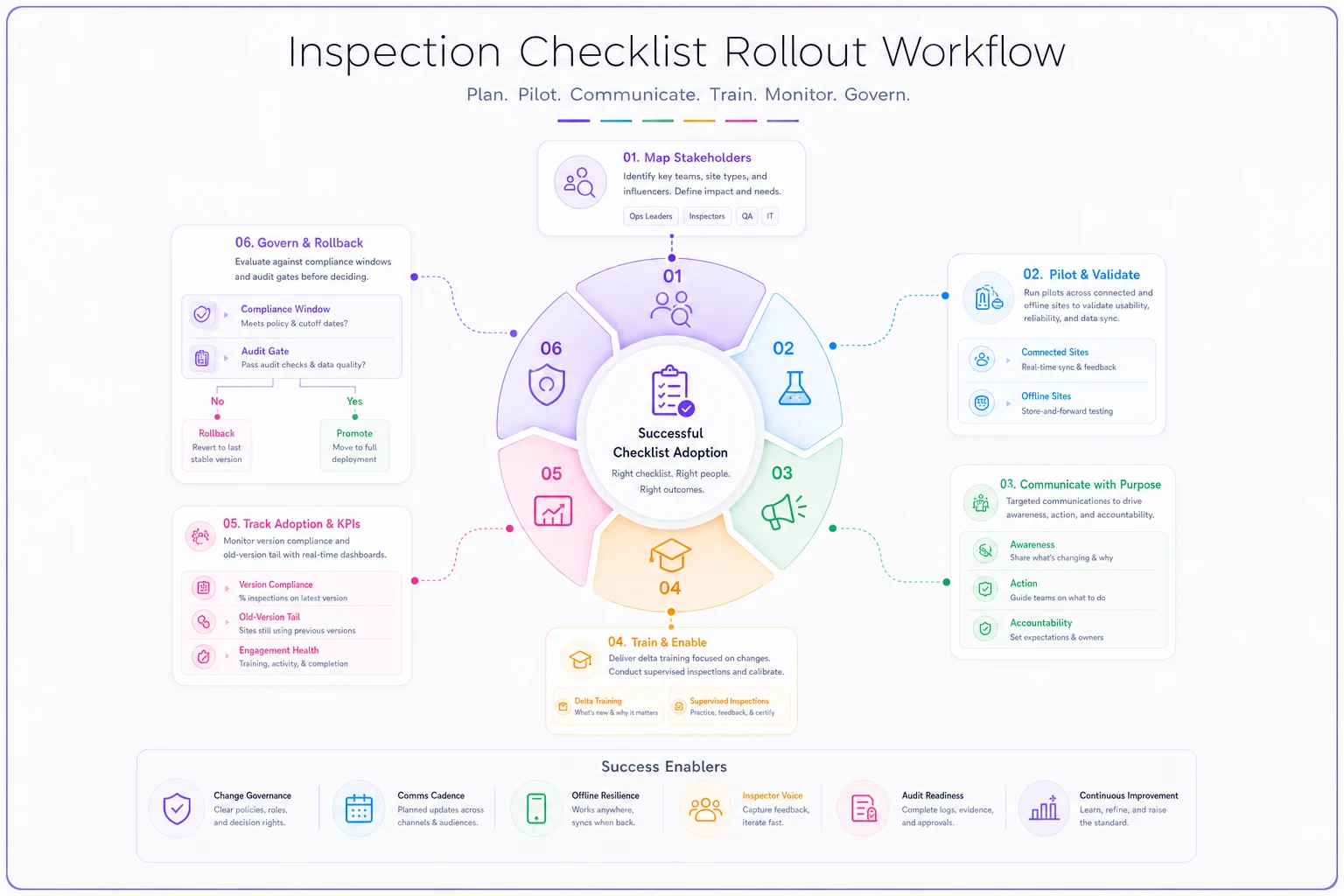
Software helps with parts of this: version control that tracks exactly which record used which checklist, sync that pushes updates to offline devices, training completion logs that hold up under scrutiny, adoption dashboards that surface the old-version tail before it becomes a finding. But the tooling only matters if the underlying system is sound. Get the process right first, and the tools just make it faster to run.
The teams that stop dreading checklist updates aren't the ones with the best forms. They're the ones who made the change itself something they can see, measure, and reverse.
The teams that stop dreading checklist updates aren't the ones with the best forms. They're the ones who made the change itself something they can see, measure, and reverse.
Ready to modernize your inspection process?
Join 500+ inspection teams using Chekzly to reduce paperwork, improve compliance, and accelerate reporting.